
Follow us on  


A-PIAN

39€
Qty:   Add to Cart
   - OR -   
A-Pian V2, old french Gaveau piano
 

The A-Pian Grand piano is and old french Gaveau piano. Gaveau was a French piano manufacturer. The company was established in 1847 in Paris and used to be one of the three largest piano makers in France (after Érard and Pleyel).
This particular piano was build in 1960 and is reffered to as a "crapaud" ("Petite Grand" in english), which means that it's a little smaller than a "quart de queue" (baby grand).
It has a very particular sound, very bright and full of inharmonicity in the bass due to the short lenght of the strings.
This library was our first attempt at finding new ways of sampling a piano. We tried to reduce the size and still keeping the most important parts.

Default interface Mixing settings
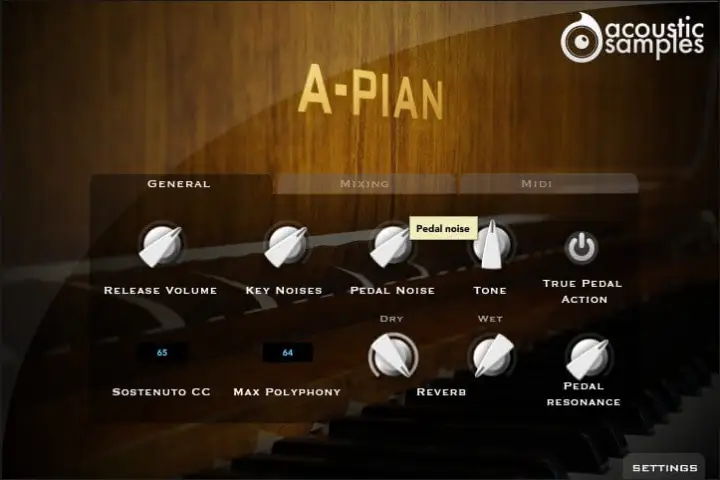
Default interface
This is the default interface of the plugin. We adjusted all of the parameters the best possible way. If you want to adjust something, simply click on settings.
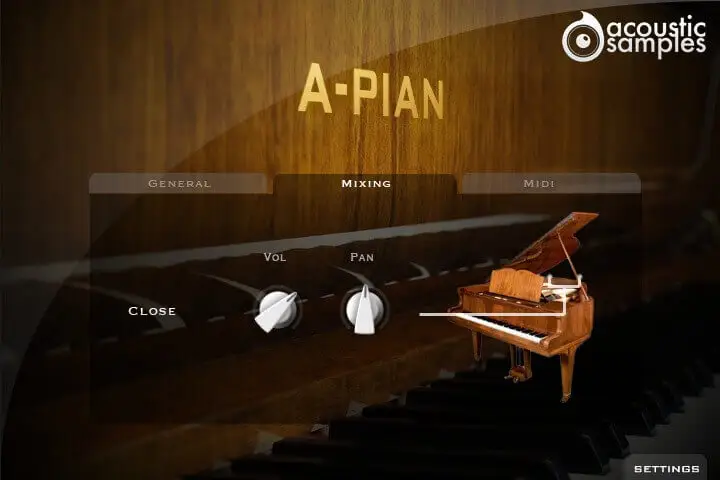
Mixing settings
On the A-Pian, the Mixing settings are only a control over the volume and pan of the library.
General settings Midi settings
General settings
In this panel, you can change most of the aspects of the library to make it sound just like you want.
You can adjust:
  • The release Volume: the sound produced when you release a key if a note was going on.
  • The Key Noises: the sound produced when you release a key and no corresponding sustain was played.
  • The Pedal Noise: the sound produced when you press or release the pedal, it adds a lot to the realism.
  • The Tone: a simple way to make the piano sound brighter or darker.
  • The True pedal action, it is a feature that allows you to play a chord without the pedal and then hear the resonance of the whole piano when you press the pedal (without releasing the keys).
  • The sostenuto CC, also called the middle pedal. You can sustain selected notes, while other notes remain unaffected.
  • The polyphony. If you lower the buffer or simply want to be light on CPU, then increase or lower this value.
  • The Reverb. We use a convolution reverb and you can adjust the dry and wet parts separately.
  • The Pedal Resonance. It is the amount of resonance during pedal down.
Midi settings
In the midi panel, you have access to all of the midi controls to help you adjust the library to your controller or playing style:
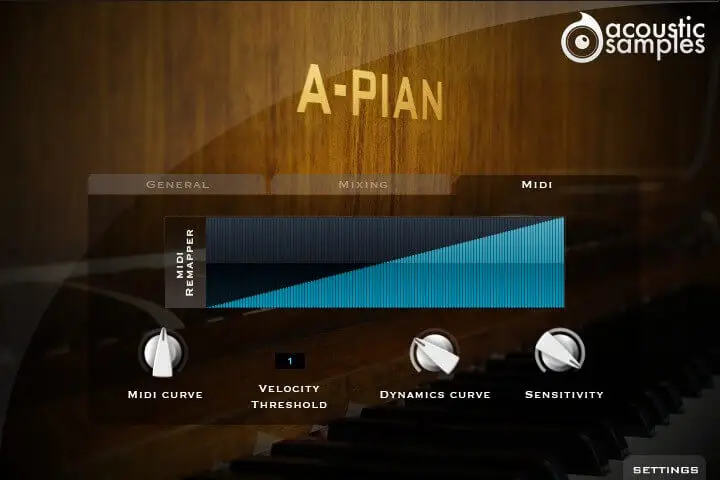
  • The MIDI remapper allows you to assign any input velocity to any output velocity.
  • The MIDI curve controls the midi remapper and will give it a concave or convex shape thus changing a "MIDI sensitivity".
  • The Velocity Threshold is simply the minimum velocity that you will have to play to hear the piano, it is present on a real piano.
  • The Dynamics curve changes the volume curve of the library.
  • The Sensitivity will set the minimum volume for velocity 1 and give you access to all the dynamics that you want.
Sample player
A-PIAN now comes with its own sample player, the UVI Workstation 2 (requires v2.0.4 or later).
We provide it for free with every library that you buy, you don't need to buy an expensive sampler to use our products. It works on Mac and PC, in standalone or as a plugin (VST / AU / RTAS / MAS) and in 32 and 64 bits. You can find more info about it here.
As it is based on the same engine (UVI engine XT), you can also use our products in MOTU MachFive 3 (requires v3.0.3 or later).
Technical description
820Mb, 232 samples.
3 Velocity layers for the sustain.
3 Velocities for the release.
Pedal down resonance and true pedal action.
Key noises samples.
Sustain pedal noises (up and down), triggered automatically.
Advanced UVI scripting giving you access to a simple yet powerfull interface and advanced features.
iLok required


All of our libraries are protected with iLok, an iLok usb key is required, as well as an iLok account.

You can buy one anywhere (both V1 and V2 are working with our products).
Registration

Once your order is complete, you will be provided with a serial number.

You will then be able to register it to your iLok account from our website on this page (you need to be logged in to access this page). The whole process is described in the FAQ (instructions + screencast).
Old comments, Show/hide
Oooooh, I love this piano, from what year is it?
 
It's a "crapaud" from 1960
thanks. Only 1960, lol. It sounds older then your Pleyel from the thirties.
 
I know :) But this one was never restored since 1960.
very good..


Copyright © 2011 acousticsamples
Products
Info
Account
Sharing
Payment
Payment by paypal,
account not required